Summer evening
Photos, notes, and the conversation around them stay together.
7:42 PM · 3 peoplePrivate by architecture
Whispurr brings conversations, a shared Journal, and your media together in one encrypted, local-first space. No account required. No feed to perform for. No company holding the keys.
 JournalAMP
Photos, notes, and the conversation around them stay together.
7:42 PM · 3 peopleA quieter kind of social
Whispurr is a private shared space. Connect directly with the people you choose, keep personal, family, work, and community life in clearly separated personas, and carry the same encrypted history across your own devices.
The mobile interface
Scroll through the tour to see how Whispurr moves from your identity and devices into a private shared space. On iPad and Mac, the switcher stays visible; on iPhone, swipe from the left edge to expand it.
01 · Move between spaces
Your current persona, its chats, and the Account view live in one rail. It stays compact until you need context.
Gesture Swipe right from the left edge to expand the switcher; swipe it closed when you are done.
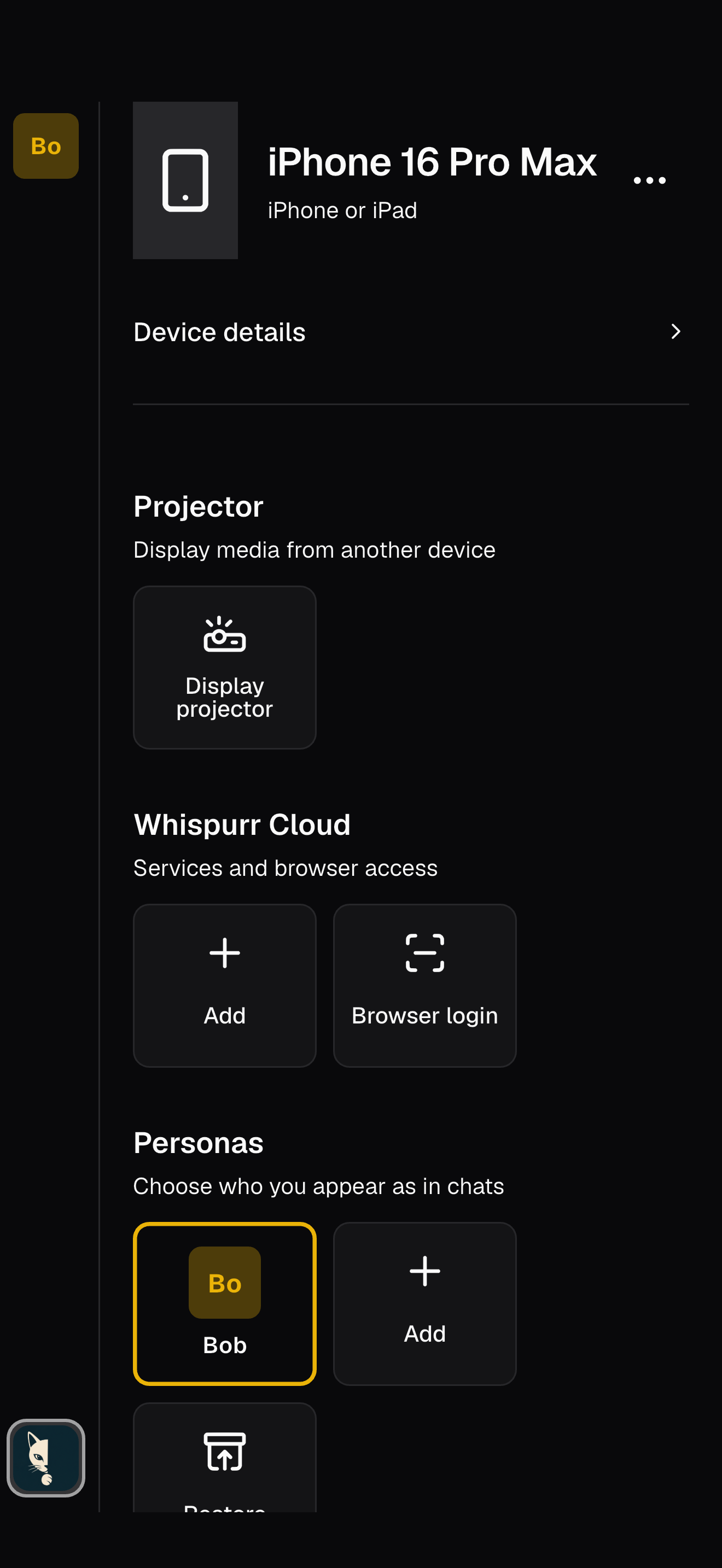
02 · Your identity
Manage the things that belong to you rather than to one conversation.
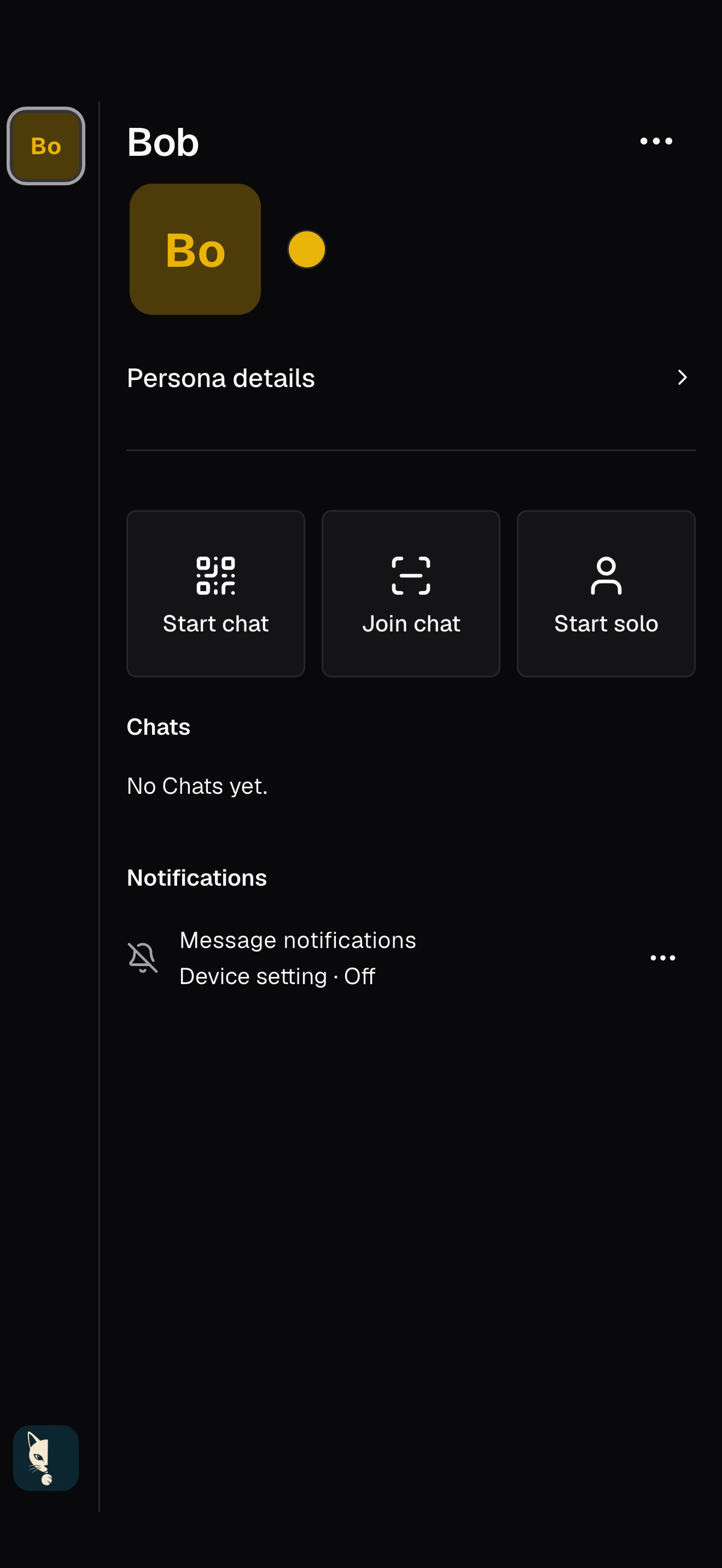
03 · A role with boundaries
Each persona has its own profile and chat list. Start a chat, scan an invitation to join one, or begin solo and invite people later.
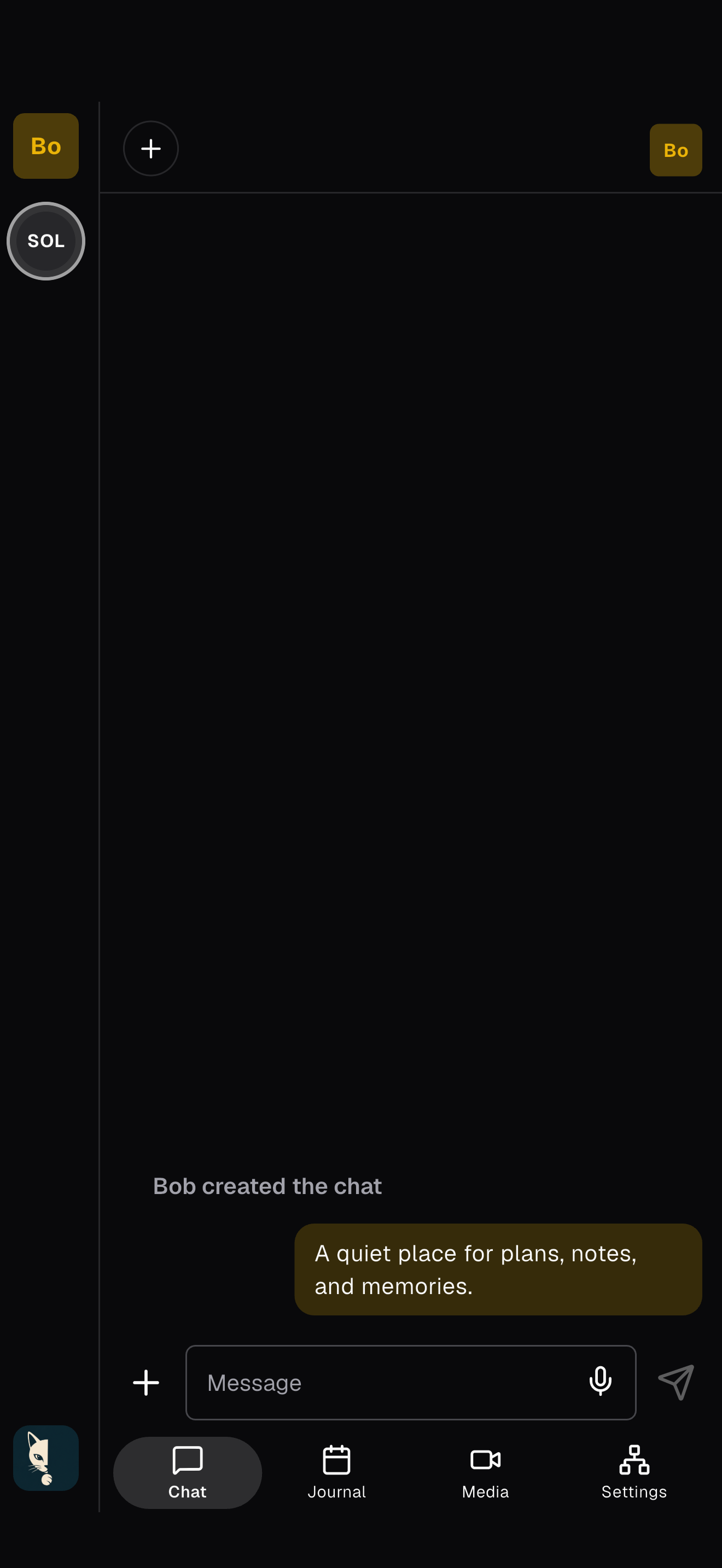
04 · One shared space
Chat, Journal, Media, and Settings are four views of the same private space. The member bar and tab bar keep the people and context close as you move between them.
05 · Conversation
The member header shows who is in the chat and who is present. Pinch to zoom conversation text, or long-press the message area to reveal precise timestamps.
Gestures Pinch to resize text · long-press to show times.
06 · Messages and media
Add a photo, video, or file beside your words. A pending state makes it clear when a message is still waiting to reach the group.
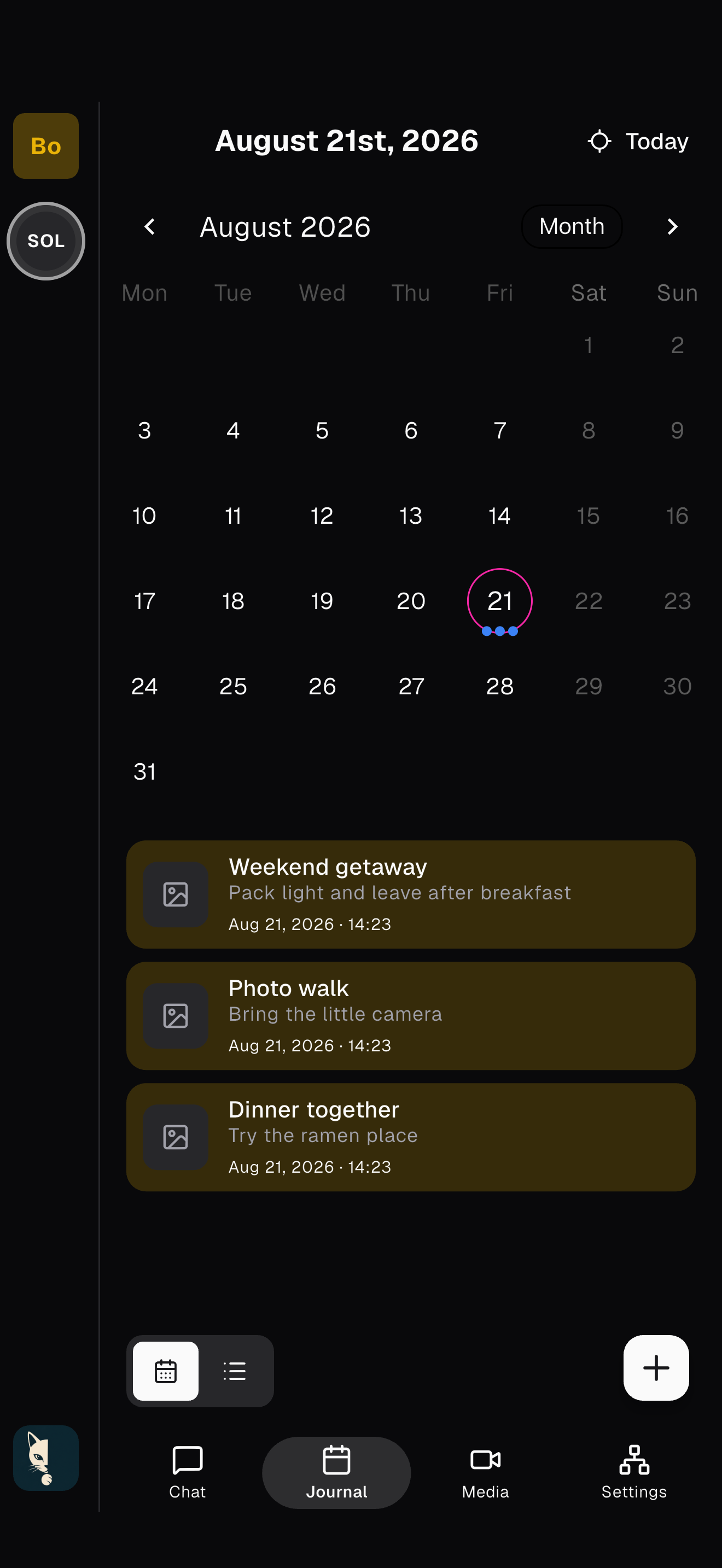
07 · Shared Journal
Switch between a month calendar and a chronological feed. Jump to today, move through months, and see the group’s events without leaving the conversation.
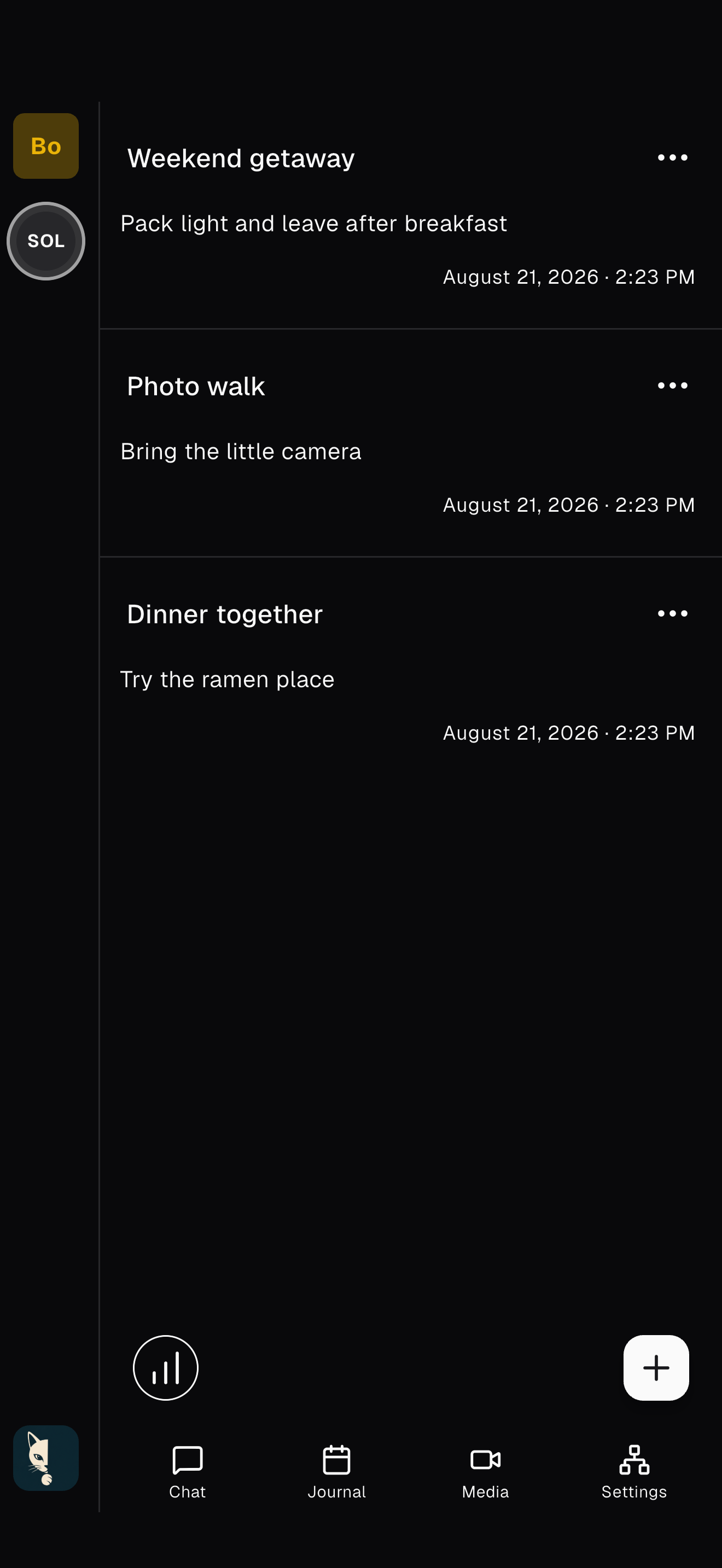
08 · Journal feed
Switch to the feed for a chronological view of everything the group has recorded. Filter by activity to revisit a trip, a ritual, or a project without losing its original context.
09 · Events with context
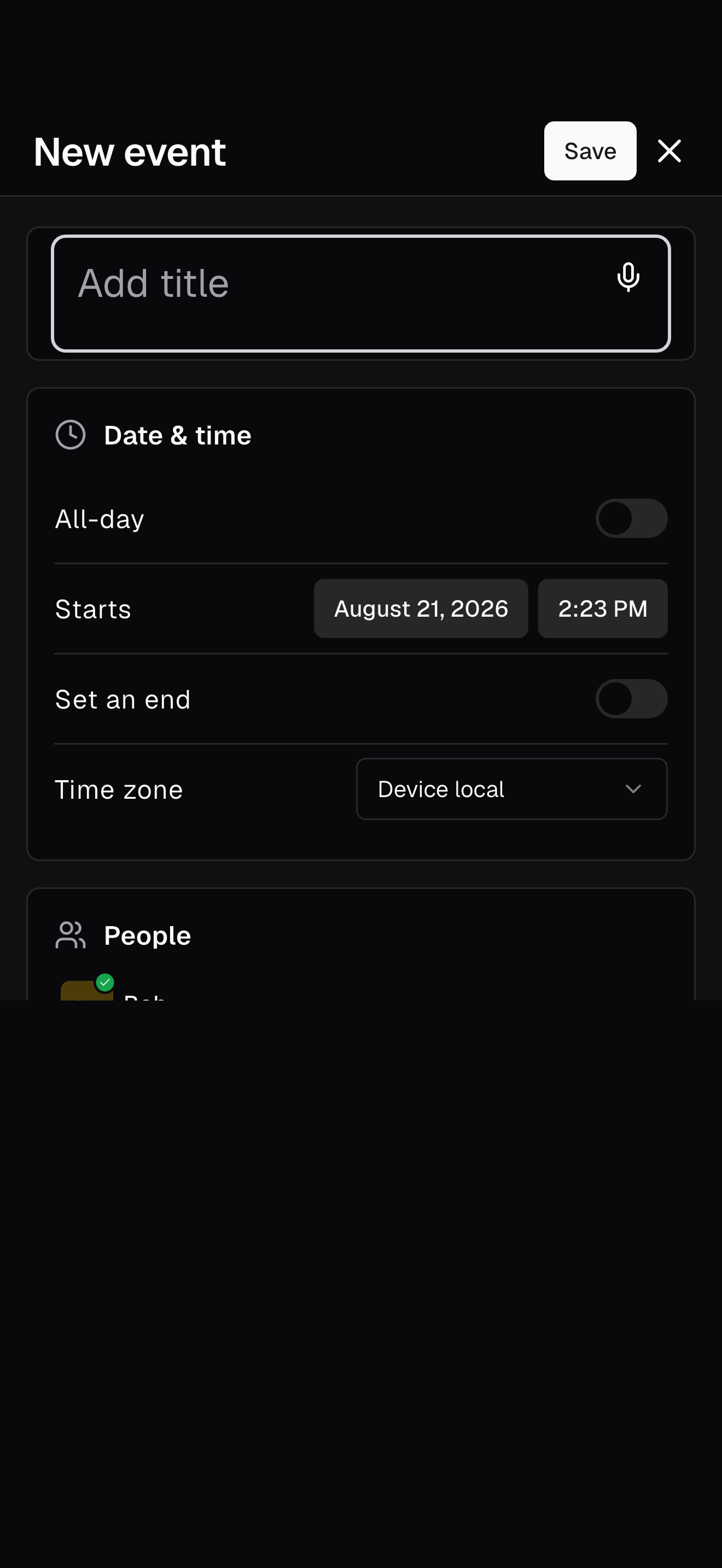
Create an event with notes, time, participants, location, activities, and media. Activity tags give the group a shared vocabulary across both Journal views.
10 · Media
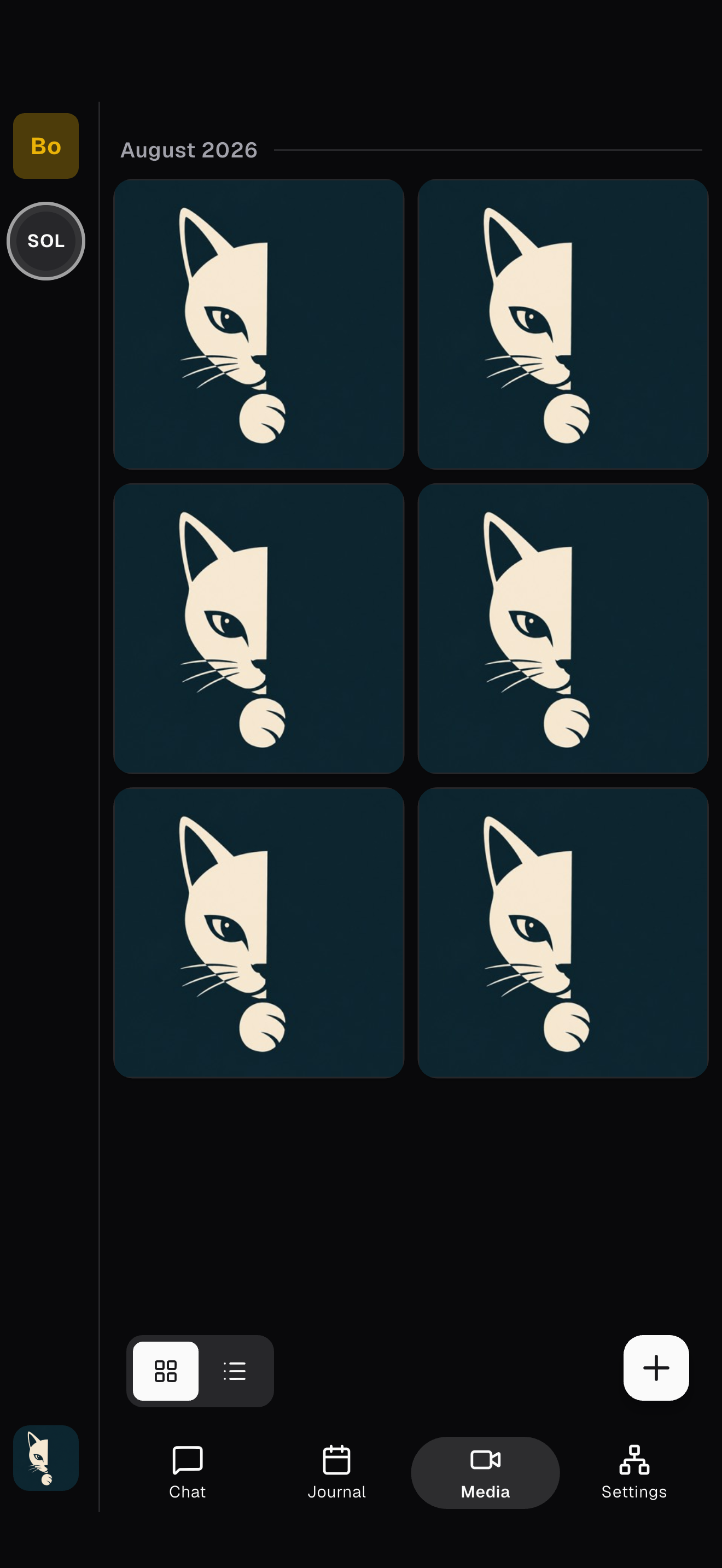
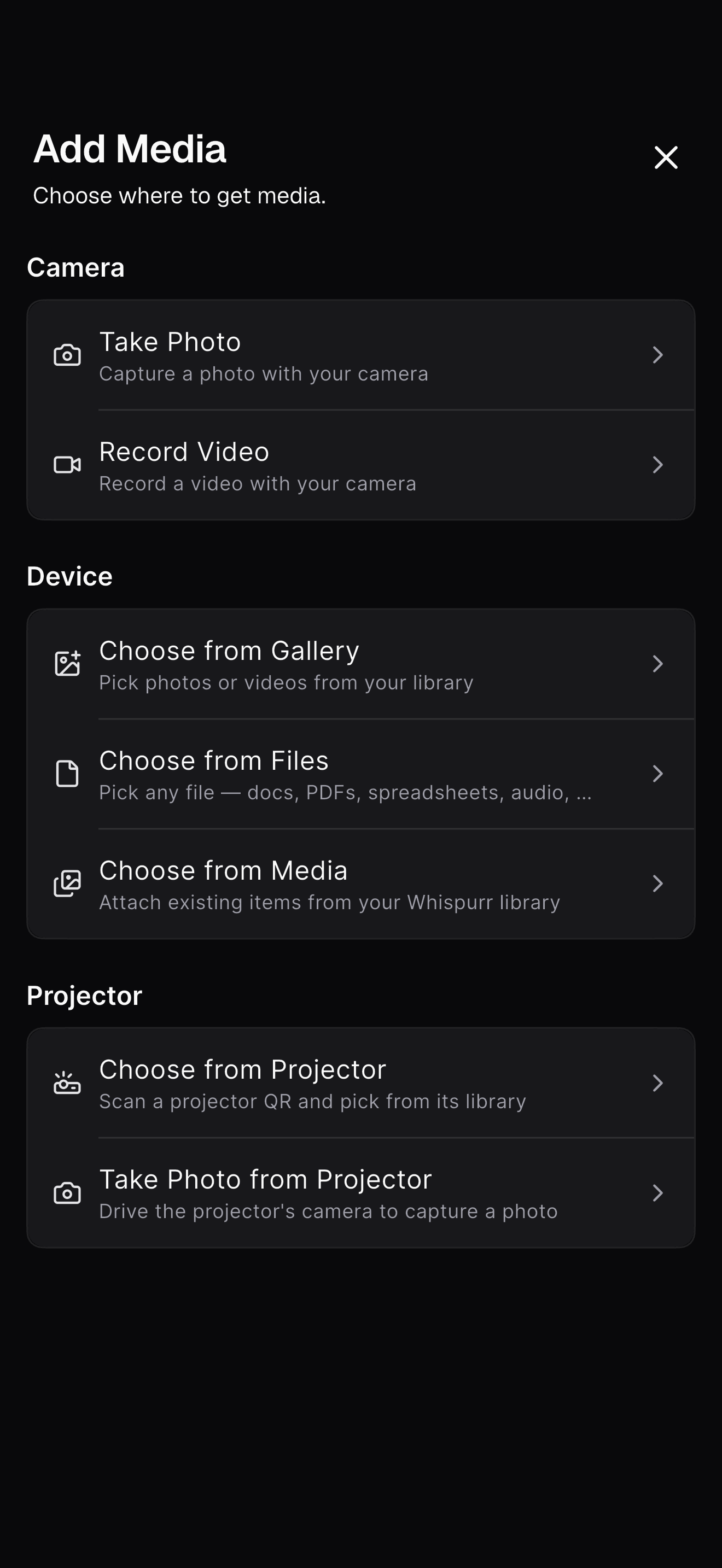
Browse the group’s photos and video in a grid or chronological list. Open an item for a closer look, and add more from your camera, device, files, or the shared library.
11 · Projector
From the gallery, connect to Whispurr Projector, choose from its library, or drive its camera from your phone. The controls stay in your hand while everyone shares the view.
12 · Conversation settings
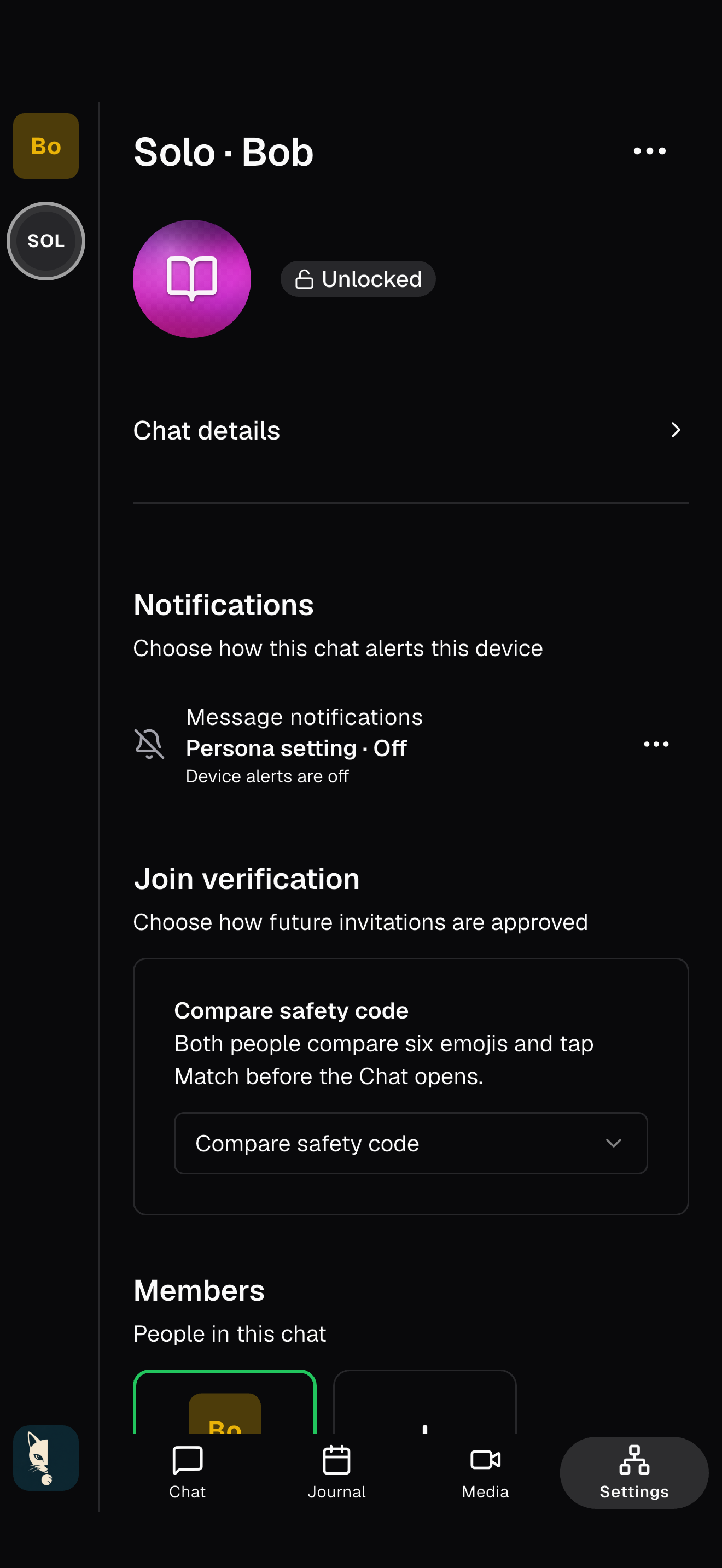
Rename the chat and choose its notification behavior. Depending on your role and the chat state, you can leave, end, or permanently delete the conversation.
13 · People and services
Review every chat member, see their current presence, and invite a new member. Service agents appear here too, so an optional backup, courier, or other capability is never invisible.
14 · Shared vocabulary
Create and manage the tags used by Journal events. They travel with the conversation, giving everyone the same filters without turning private activity into a public profile.
How Whispurr compares
Signal, WhatsApp, and Telegram each solve a different problem well. Whispurr is built for smaller, durable circles that want conversation, memories, and plans to live together under identities they control.
Swipe to compare every app
| What matters | W Whispurr | S Signal | W WhatsApp | T Telegram |
|---|---|---|---|---|
| Designed for | Ongoing private spacesChat, Journal, media, and settings stay together. | Private messagingSecure messages, groups, stories, and calls. | Everyday communicationMessaging, calls, groups, Communities, and Status. | Cloud messaging and reachLarge groups, channels, bots, and multi-device access. |
| Conversation encryption | End-to-end by designStructured conversation data and media are encrypted for authorized participants. | Always end-to-endSignal says every message and call uses end-to-end encryption. | Default for personal chatsPersonal messages and calls are end-to-end encrypted by default. | Depends on chat typeCloud Chats use server-client encryption; one-to-one Secret Chats are end-to-end encrypted and device-specific. |
| Identity and context | No phone or email accountDevice-owned identity with separate personas for family, work, community, or any other role. | Phone registrationA phone number is required to sign up; an optional username can start a chat without sharing it. | Phone-number accountsMultiple accounts are supported when each has its own number; optional usernames are rolling out for introductions. | Phone-number accountsMultiple accounts can separate contexts, with one number per account. |
| History across devices | Local-firstAuthorized devices carry encrypted history; optional services can hold only encrypted content. | Stored on your devicesEncrypted history transfer is available when linking a new device. | Device history plus backupEnd-to-end encrypted cloud backup is optional. | Telegram CloudCloud Chats sync from Telegram’s servers; Secret Chats remain on the devices where they began. |
| Beyond the message thread | Journal and shared mediaCalendar and feed views, activity tags, a chat gallery, and Projector are native parts of the space. | Messenger essentialsGroups, calls, stories, and media sharing. | Groups and CommunitiesEvents, Status, Channels, calls, and media sharing. | Communities and automationPublic channels, large groups, bots, and mini apps. |
| Public or advertising layer | NoneNo public directory, feed, ads, or behavioral analytics. | NoneSignal says it has no ads, affiliate marketers, or tracking. | Separate Updates tabChannels, promoted channels, and Status ads sit outside personal chats; Meta says personal chats are not used for ads. | Public-channel adsSponsored messages can appear in eligible public channels. |
Digital sovereignty
Your identity begins on your device. Your private spaces do not depend on a platform account that exists to profile, monetize, or mediate you.
Your devices hold your identity and encrypted history. Recovery credentials stay in your hands, so continuity does not depend on a company account.
Conversation data is encrypted for its participants and synchronized among authorized devices—not collected into a central database of readable lives.
Whispurr does not fingerprint your device, build a behavioral profile, sell activity data, or tune a feed to capture more of your attention.
Whispurr tries to connect devices directly, often reducing unnecessary hops. When networks prevent that, encrypted relay transport keeps peers reachable.
Honest about the network: discovery and relay services may help devices connect. They transport encrypted traffic; they are not a readable home for your conversations.
One shared space
Messages, moments, and media are different views of the same relationship—not disconnected products.
Encrypted peer-to-peer chat with member presence, voice, reactions, sensitive-media controls, and a clear view of who is connected.
Move naturally between calendar and feed. Capture events, participants, activities, notes, locations, and attachments in an interoperable event model.
Keep photos, video, and files close to the conversation and event they came from. Sensitive previews stay blurred until you choose to view them.
Use distinct personas for personal life, family, work, a club, or a creative project. Each one keeps the right profile, conversations, and contacts together—clear boundaries for everyday roles.
Link phones and computers without creating an online account. Your authorized devices sync the spaces they are allowed to see.
Local first
Centralized stores can become targets for breaches, secondary use, or compelled access. Whispurr minimizes readable centralized data by designing around encrypted information on participant devices.
Read the full privacy policy →Optional services
Whispurr services use narrowly scoped, revocable attachments. A provider receives only the authority and encrypted data required for the capability you choose.
Cloudflare service provider · Development
Choose Backup, Courier, or both for each conversation. Courier can relay new messages and encrypted media between devices that are never online together without retaining a durable backup. Both services receive only ciphertext produced on your device.
On an authorized account administrator device, open Device → Whispurr Cloud and choose Add. Service registration completes in the app without a browser login.
Development service. Keep another recoverable copy of important data. View protocol manifest.
Whispurr Projector
Present photos and media on a Mac, Windows PC, or Linux display through an encrypted peer-to-peer session. Pan, zoom, and control playback from your phone without uploading the original to a presentation service.
Projector is open source. View all releases.
Good questions